
Home / Services / Google Business Profile
Google Business Profile management in Oakville
When someone searches “dentist near me” or “roofer Oakville”, the map with three businesses under it is the first thing they see. That map runs largely on your Google Business Profile, and we’ll set yours up properly and keep it working, month after month.
The short answer
What is Google Business Profile management?
Google Business Profile management is the ongoing work of keeping your listing on Google Search and Maps accurate, complete and active. That covers your categories, services, hours, photos, posts, reviews, questions and answers, and making sure your name, address and phone match everywhere. It isn’t a one-off job. Profiles drift, competitors keep posting, and reviews keep arriving.
You can buy it from us on its own, or as part of local SEO in Oakville, where it sits alongside your website pages, citations and links.
Why it matters
Why the profile often matters more than the website
For local searches, Google shows two sets of results, and they’re ranked differently.
The map pack
Leans on your profile, your reviews and how close you are to the person searching.
The regular results
Lean on your website’s pages, content and the links pointing to it.
The map sits above the regular results on most phones, so for an Oakville business that serves Oakville customers, the profile is often the first impression. A great website can’t make up for a profile with the wrong category and four reviews from 2019.
Month one
One-time setup
Claim and verify
We make sure you own the profile, it’s verified, and there’s no suspension or review notice waiting. If verification has stalled, we sort it out with you. Problems here are covered in why your business isn’t showing on Google Maps.
Primary and secondary categories
The primary category does more than any other field to decide which searches you show up for. We match it to the service you most want to be found for, then add secondary categories for the rest.
Services, service area and hours
Every service listed in plain words, the towns you actually serve, and regular and holiday hours. If you work from home, we set it up as a service-area business with your address hidden.
Photos and description
Real photos of your work, team and premises, and a description that says what you do and where, written for people rather than stuffed with keywords.
Every month
What the monthly management covers
01
Posts and photo updates
Regular posts about your services, offers and recent work, plus fresh photos, so the profile looks like a business that’s open and busy.
02
Review requests and replies
A simple way to ask every happy customer for a review, with a direct link. If you’d like, we’ll also reply to what comes in, good or bad, on your behalf.
03
Questions and answers
The questions customers ask you on the phone, answered on the profile before they have to call.
04
Matching details everywhere
Your name, address and phone checked against your website and the directories that list you, with old addresses and duplicates cleaned up.
05
A plain-English monthly report
What moved, what didn’t, and what we’re doing next. You’ll get it from us directly, because we take on three clients at a time.
Do it yourself
Google Business Profile optimization checklist
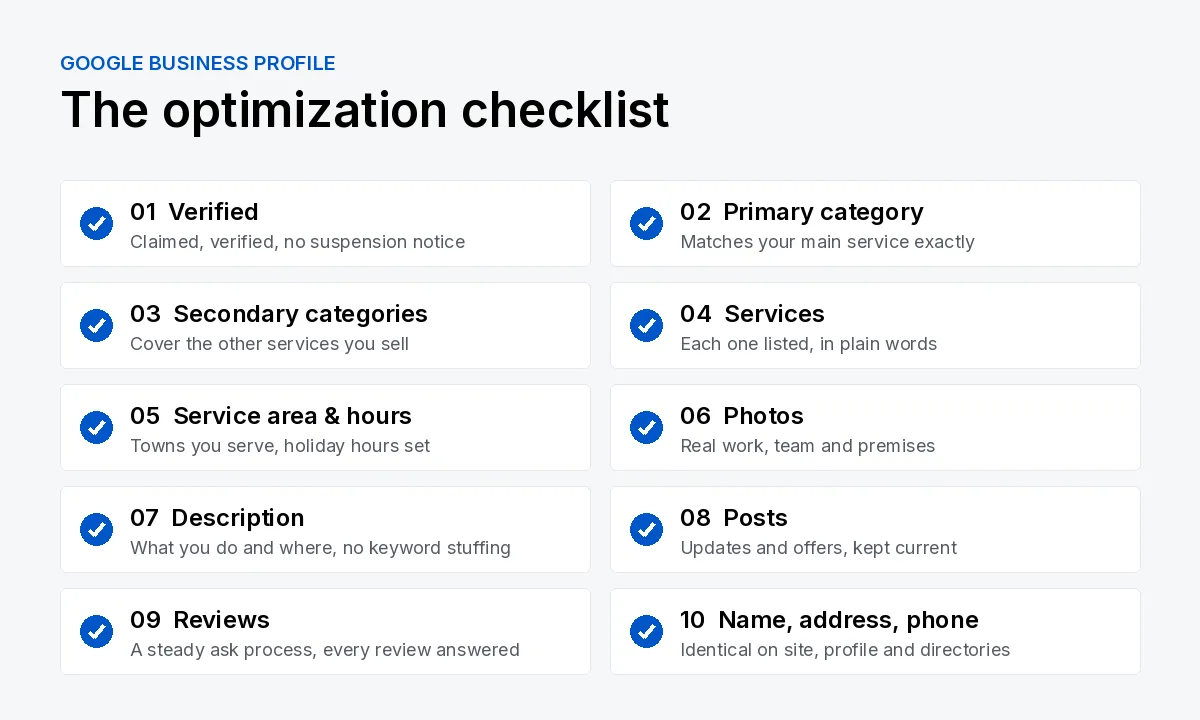
If you’d rather run your own profile, this is the list we work from:
Verify the profile and check for any suspension notice.
Set the primary category to your main service.
Add secondary categories for your other services.
List every service in plain words.
Set your service area and hours, including holidays.
Upload real photos of your work, team and premises.
Write a clear description of what you do and where.
Post regularly about services, offers and recent jobs.
Ask for reviews and reply to every one (we can handle replies for you).
Match your name, address and phone on your site, profile and directories.
Honest limits
What profile management can’t do
Google says local results are based mainly on relevance, distance and prominence, and that you can’t pay for a better local ranking. Management improves relevance and prominence. It can’t change where you are.
About distance
An Oakville business will rarely win the map for someone searching in downtown Burlington, however good the profile is. For neighbouring towns, a properly written page on your website is usually the realistic route.
Timing matters too. On local SEO work, we tell clients to expect measurable movement in 60 to 90 days and meaningful traffic growth in four to six months.
Results
Dr. J.C. Mungar Optometry
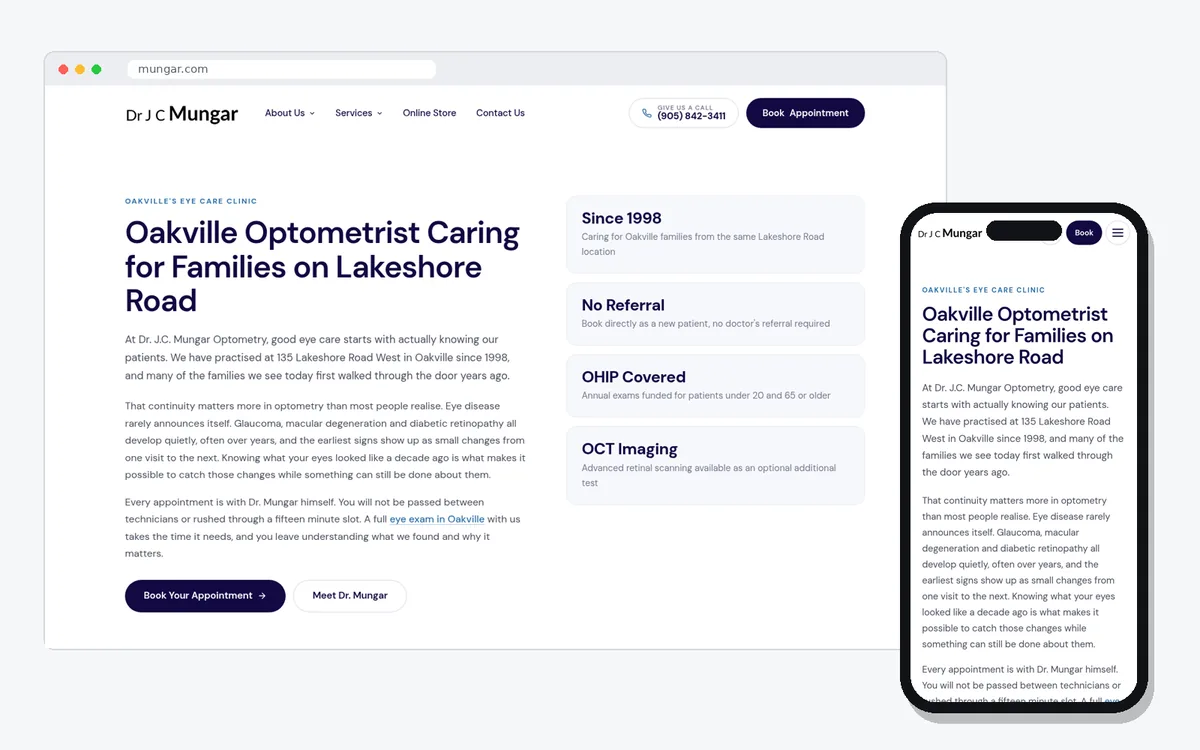
Google Business Profile management was part of a wider local SEO and website project for Dr. Mungar’s practice. Between February and August 2026, Search Console impressions grew 6.8 times, from 738 to 5,038, and clicks grew 3.2 times. The profile was one piece of that work, not the whole of it. The full story is in the Mungar Optometry case study, and there’s another example in the James Deep Law project.
Pricing
What it costs
After a short call, because rebuilding a neglected profile is a different job from keeping a good one current.
Profile setup plus your website pages, citations and tracking, as part of local SEO.
Profile management included, alongside content and links. Month to month.
FAQ
Frequently asked questions
Can you pay Google to rank higher on Google Maps?
No. Google says local results are based mainly on relevance, distance and prominence, and that you can’t pay for a better local ranking. Google Ads can put a sponsored listing above the map, but that’s advertising, not your profile’s ranking, and it stops when you stop paying.
Do I need a website if I have a Google Business Profile?
You can rank with a profile alone, but a website helps. Prominence includes what’s written about you and linked to across the web, and a clear page for each service gives Google something to connect your profile to. It’s also where most people go before they call.
What if I work from home and don’t want my address shown?
Set the profile up as a service-area business. You still verify with your real address, but you hide it and list the towns you serve instead. Google doesn’t accept PO boxes or virtual offices as a business address, so this is the right setup for home-based businesses.
Why isn’t my business showing on Google Maps?
It’s usually one of a handful of things: an unverified or suspended profile, the wrong primary category, an incomplete profile, distance, too few reviews or mismatched details. We go through each one in why your business isn’t showing on Google Maps.
How much does Google Business Profile management cost?
On its own, it’s quoted after a short call, because a profile that needs rebuilding is a different job from one that only needs upkeep. As part of local SEO in Oakville, it’s included in the setup and the monthly plan, which are quoted after a call.
Is there a contract?
No long contract. Monthly work is month to month, so you can stop whenever it stops being worth it to you.
Keep reading
Related services and guides
Send us your URL for a free audit
We’ll check whether your Google Business Profile is set up properly, look at your website, and email you back the two or three things holding you back.